

Why you should avoid AI apps for accurate astrocartography
In recent years, AI astrology apps have flooded the market, promising instant insights into your birth chart and astrocartography maps. But here’s the truth: these apps are often misleading, inaccurate, and can cost you both money and time. If you’re serious about astrology, relying on AI tools can do more harm than good.
Why AI astrology apps fail
Astrology is an interpretive art. Your planetary placements, houses, and aspects must be analyzed in context. AI astrology apps don’t understand nuance because they generate generic interpretations or randomize your astrocartography coordinates. This leads to results that are inconsistent, confusing, or outright wrong.
For example, some apps claim that “traditional 2D maps are outdated” and offer flashy ‘‘3D alternatives’’. While it sounds modern, this marketing gimmick has nothing to do with accuracy.
In reality, this is misleading, as you can easily switch to a spherical ‘‘3D’’ globe instead of a map in Solar Fire (funny and sad at the same time, isn’t it):
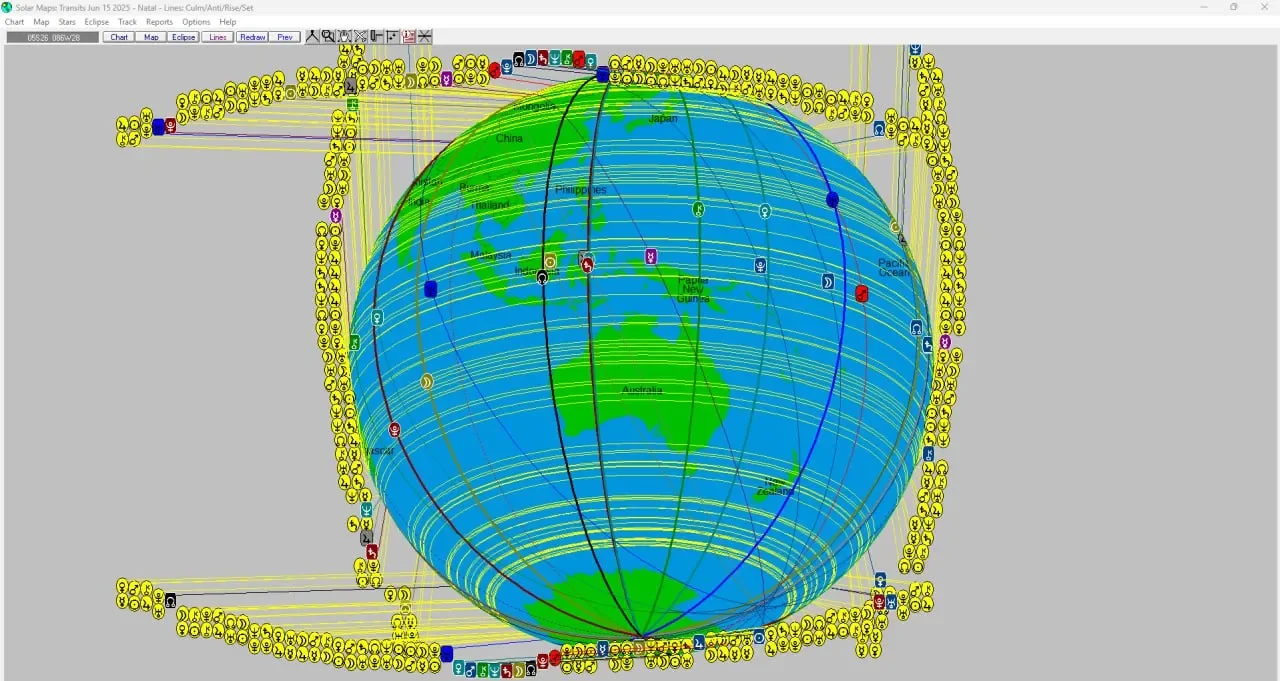
You can see this example in the community discussion here: FB Astrocartography Group (see comments of this post - join the group to see it as it’s locked).
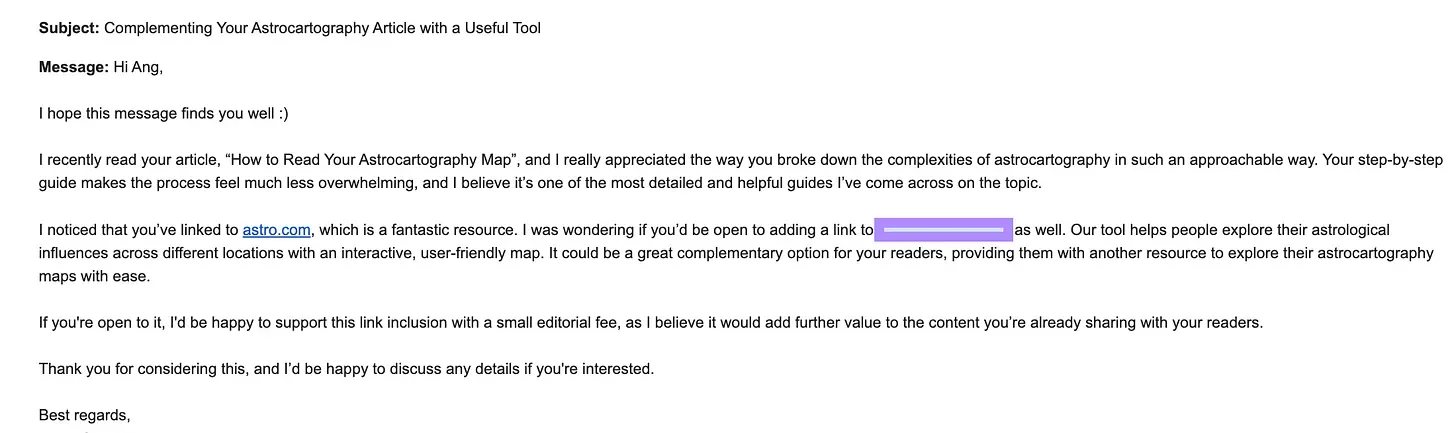
Also, I received this request from an AI astrocartography app, highlighting the ‘‘small fee’’ part:
So, if you are an AI astro app owner wanting to reach out to me, you will always get the same response from me:
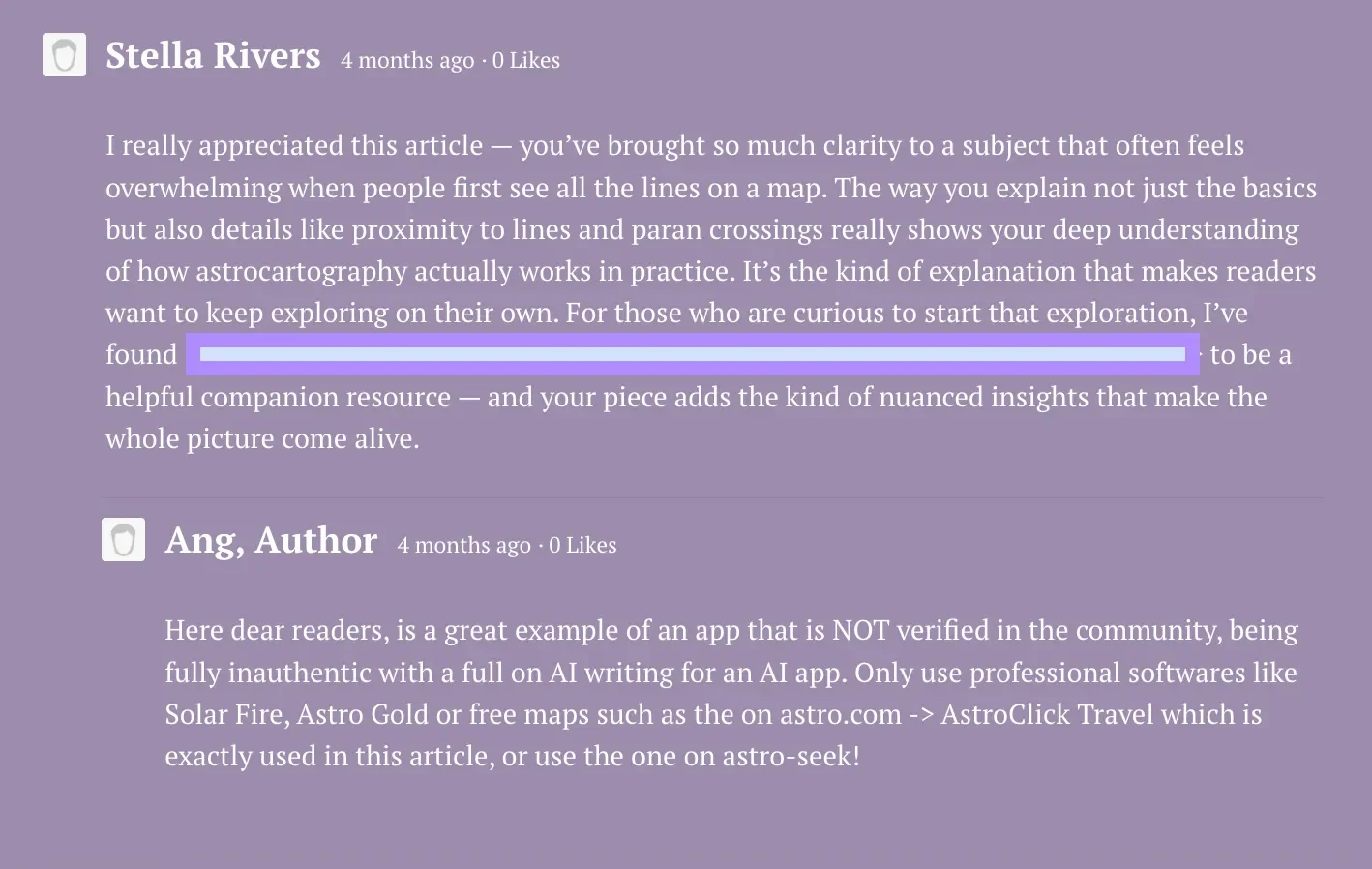
I will NEVER promote AI slop when it comes to astrology and astrocartography, or anything else in general.
I’ve blurred the names of these apps in this post because I don’t want to give them any exposure or free promotion. You know the saying “even bad publicity is publicity” so there’s no reason to give them that power here.
How to spot misleading astrology and astrocartography apps
Here’s a 5-question accuracy checklist to keep in mind if you come across new apps targeting you via social media, Google Ads, or during your research. From my experience, most of these “AI astrology” apps are unreliable at best, and scams at worst. Here are the 5 questions you should ask when you are doing your own research:
1. Who is the creator behind the app?
Check the organization or individual responsible for the app. Is it a reputable astrology organization or a well-known, practicing astrologer? Or is there no clear background or name at all? If the latter, that’s a red flag.
2. What calculation source do they use?
A trustworthy app should specify its astronomical ephemeris, like the Swiss Ephemeris, NASA data, etc., and confirm that it’s up to date. Without this, any chart or astrocartography map is potentially inaccurate. Some also claim this is just to hook you via marketing, while they don’t as well, so it’s quite tricky out there.
3. What does the community say?
Look for independent reviews, forum discussions, or recommendations from practicing astrologers. Community feedback is often the best early warning when an app is misleading or misrepresenting astrology.
We always share reliable resources in the astrocartography FB group when members ask questions or share a screenshot of a map from an unreliable source.
4. Are time zones and daylight savings handled correctly?
Even small errors in time zone or historical DST calculations can completely shift your chart or planetary lines. Reliable software will account for these adjustments accurately.
5. Can you verify the results with another source?
Cross-checking is a must. Compare a few key planetary lines or angular positions with a trusted program such as Solar Fire or the travel map on Astro.com. If results differ significantly, the app is likely not accurate.
Which websites and apps should you use for astrology and astrocartography?
Free options
Astro.com: Reliable charts, relocation maps, and in-depth analysis.
Astro-Seek.com: Offers interactive astrocartography maps with customizable options.
Astrolog Software: Free software created by Walter Pullen, ideal for personal charting and exploration.
Thank you, Walter, for your generosity and evergreen contribution to the community!
Paid options
If you’re considering paid software, Solar Fire remains the most reliable and enduring option, especially for precise calculations and chart animations. I also appreciate Astro Gold for its presentation of paran latitude lines, though I’m less enthusiastic about the map itself. The birth chart feature in Astro Gold, however, is excellent. Personally, I don’t use the local space function in paid software, since the free local space tools on Astro.com are, in my view, superior.
Here is the list of all paid software that are legit:
Solar Fire
Astro Gold
Janus
Zeus
Kepler AstroLocality Software
Sirius
Meteor
Matrix Horizons
Delphic Oracle
Zet Geo for Astrocartography
I am certain that AI will just have the contra effect as time unfolds
At the end of the day, AI can never replace the human element in astrology or any form of divination. Intuition, subtle pattern recognition, and lived experience are at the heart of how we interpret charts and guide ourselves or others. That’s where the real power lies, and it’s something no algorithm or robot can replicate.
Machines can calculate positions, generate text, or make predictions based on patterns they cannot feel the nuance, sense the timing, or respond to the energy of a moment!
Our intuition is our superpower. It’s how we translate symbols into meaningful insight, how we manage complexity, and how we connect astrology to real life. That’s why, in my opinion, no AI app, no matter how polished, will ever truly be on the level of a human reading.
Stay true & authentic,
Your locational astrologer Ang Kay x
